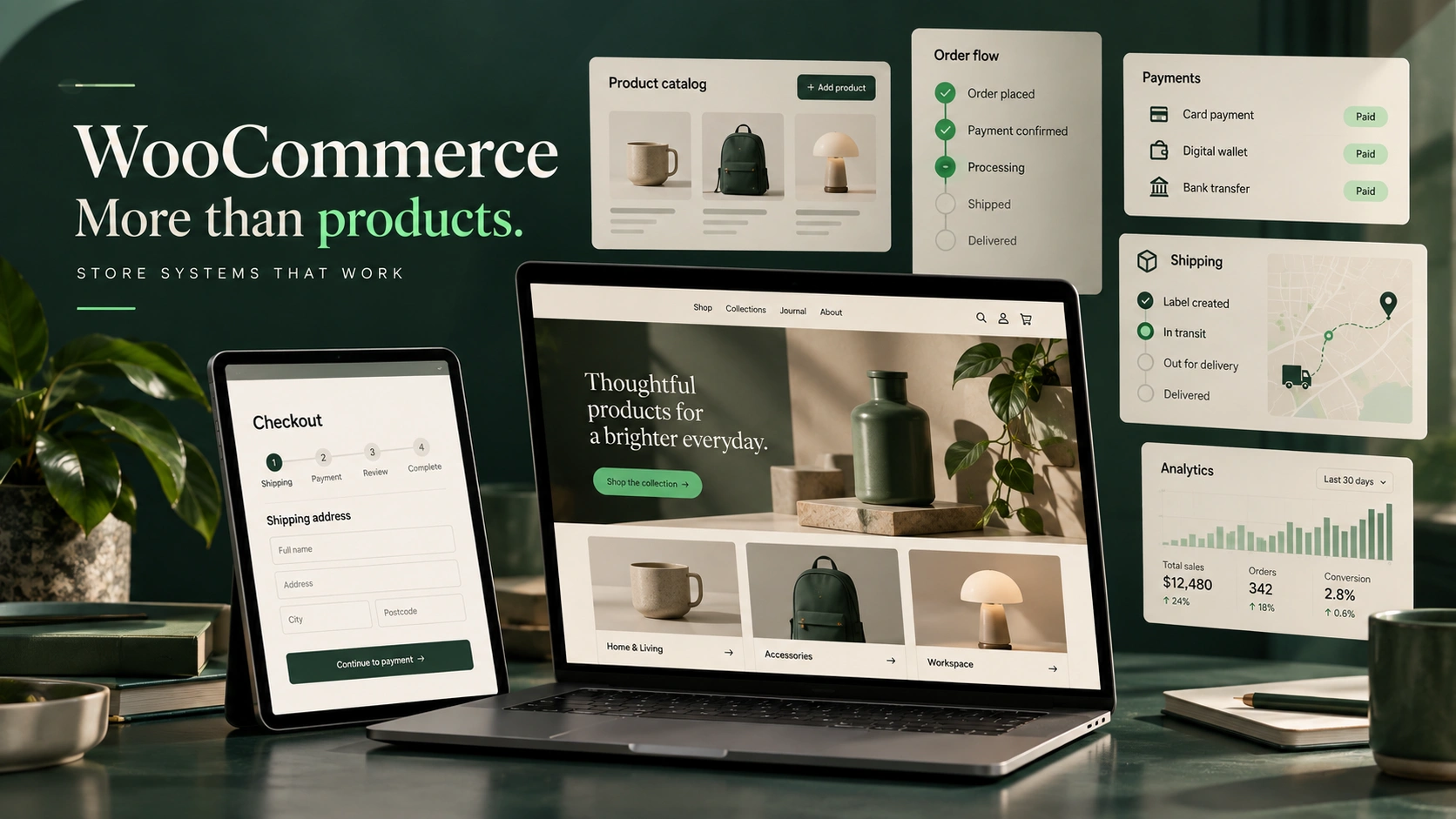
A WooCommerce store can look deceptively simple from the outside. There are products, categories, a cart and a checkout. Someone chooses an item, pays and receives an order confirmation. Compared with a custom e-commerce platform, that can make WooCommerce seem like a straightforward extension of a normal WordPress website.
It is not.
A useful WooCommerce store is a system. Products are only one part of it. The structure behind those products, the quality of the data, shipping rules, payment methods, taxes, stock, checkout behaviour, performance, search visibility, analytics and ongoing maintenance all affect whether the store actually works for the business.
The difference usually becomes obvious after launch, when real products, real customers and real exceptions arrive.
Product structure should be decided before the catalogue grows
One of the easiest mistakes to make is treating categories and attributes as something that can be organised later. That works while the shop has twelve products. It becomes considerably less entertaining when there are several hundred products, overlapping categories, inconsistent names and filters that nobody trusts.
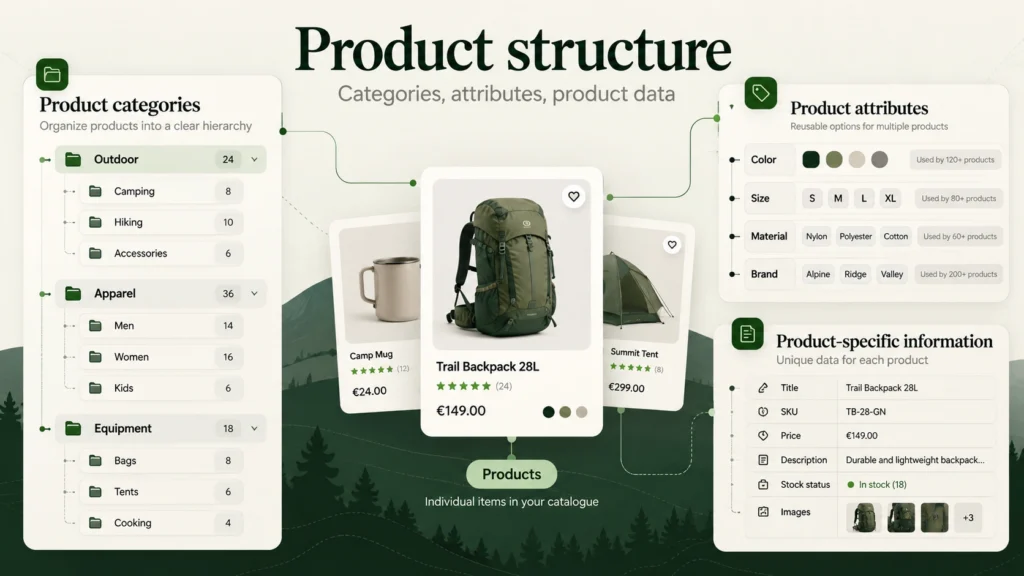
A useful catalogue starts with a clear distinction between categories, attributes and individual product information. Categories describe where a product belongs in the store. Attributes describe characteristics that can apply across products, such as brand, size, connection type, compatibility, colour or intended use. Product descriptions explain the individual item.
Those roles should not be mixed casually. If every characteristic becomes a category, navigation quickly grows into a maze. If important characteristics exist only inside product descriptions, customers cannot filter by them and the data becomes difficult to reuse elsewhere.
The best time to make these decisions is before hundreds of products depend on them.
Good product data is part of the website architecture
Product entry is often treated as clerical work that happens after the website has been built. For a serious online store, that is backwards. Product data is part of the architecture.
Titles, SKUs, prices, stock status, variations, attributes, images, dimensions, shipping classes, tax settings and compatibility information all affect what customers can find and what WooCommerce can do with each product.
In some stores, compatibility becomes especially important. Automotive products, electronics, spare parts and technical equipment may fit only certain models or use cases. A vague sentence buried in a product description is rarely enough.
Structured information makes the catalogue easier to search, filter, maintain and eventually migrate or integrate with other systems. It also makes bulk work safer.
Importing 500 products from a CSV is easy. Importing 500 products into the wrong taxonomy structure is also easy. One of those is considerably more useful.
Product images need consistency, not just quality
Good photographs matter, but consistency matters almost as much. If one product image is square, another is portrait and a third is a panoramic photograph taken on a warehouse floor, even a good shop layout begins to feel unstable.
A store benefits from clear image rules: preferred aspect ratio, minimum dimensions, background treatment where relevant and sensible compression. These decisions are not only visual. Product photography can become a significant performance problem when category and search pages display dozens of images at once.
That makes responsive image delivery, modern formats and appropriate source sizes particularly important in WooCommerce. The goal is not to make every image tiny. It is to send the visitor the amount of image data actually needed for the device and context.
Shipping is business logic, not a footer detail
Shipping sounds simple until somebody has to define it.
Is delivery a fixed amount? Is it calculated by a courier? Does it depend on weight, location or product type? Is shipping free above a certain order value? Are there oversized products with different rules? Does cash on delivery change the price? Can some products only be shipped to certain regions?
These decisions have to be translated into rules that WooCommerce can execute consistently.
This is where assumptions become expensive. A developer can configure “free shipping over €100” very quickly, but the business still needs to decide whether that threshold applies before or after discounts, whether it applies to every shipping zone and whether any products should be excluded.
Shipping should therefore be defined as part of the project requirements, not discovered during the final checkout test.
Payments need to be tested as transactions, not logos
Adding a payment gateway plugin and seeing a Visa logo at checkout does not mean the payment system is finished.
The entire transaction lifecycle needs to work. What happens after a successful payment? What happens after a failed one? Does the order receive the correct status? Is stock reduced at the right moment? Are confirmation emails sent? Does the customer return correctly from the payment provider? What happens if a webhook arrives several seconds later?
Test mode exists for a reason.
I would rather discover an edge case with a test card and a fake order than with a real customer and a payment that the business cannot reconcile.
Checkout friction is expensive because it happens at the worst possible moment
By the time someone reaches checkout, the store has already done most of the difficult work. The visitor found the site, found a product, accepted the price and decided to buy.
This is a particularly bad moment to create unnecessary friction.
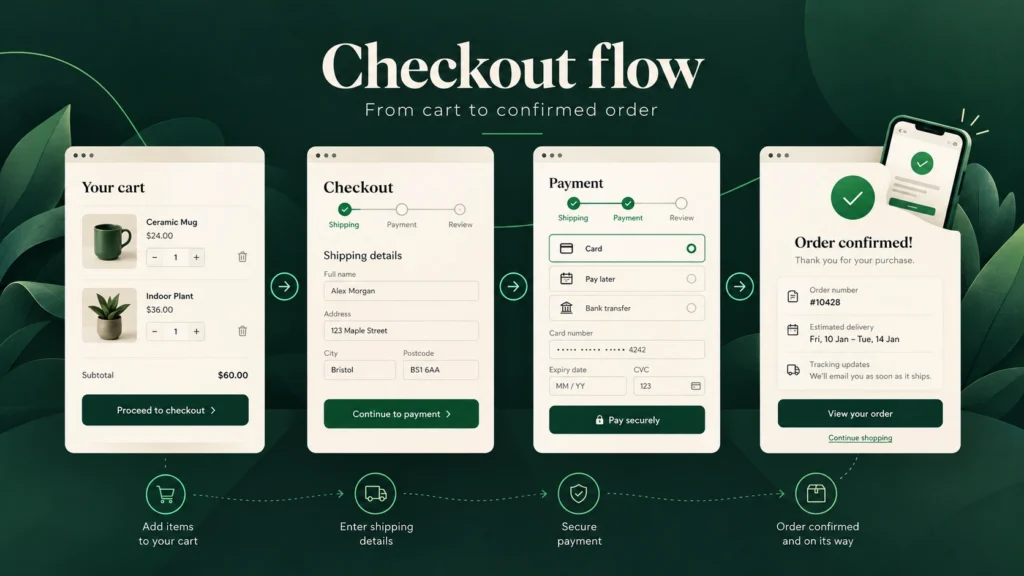
Too many fields, confusing validation, surprise shipping costs, forced account creation, awkward mobile layouts or unclear error messages can turn a nearly completed order into an abandoned one.
That does not mean every WooCommerce store needs a radically customised one-page checkout. It means each field and each step should have a reason to exist, and the complete checkout should be tested on the devices people actually use.
A checkout can look perfectly acceptable on a large monitor and become irritating very quickly on a phone.
WooCommerce performance is different from normal WordPress performance
A normal company website can often cache most pages very aggressively. An online store cannot treat every request that way.
Cart contents, checkout, customer accounts, stock information, personalised pricing and some product interactions are dynamic. Those pages and requests require different caching rules.
A large catalogue also changes the performance profile. Product queries, variations, filters, integrations and database growth can become more important than the size of the homepage hero image.
Third-party plugins matter as well. Courier integrations, payment gateways, invoicing systems, product filters, feeds and marketing tools can all add database queries, scheduled tasks, scripts and external requests.
This does not mean WooCommerce has to be slow. It means performance has to be understood in the context of how the store actually works.
Trying to optimise an online shop as though it were a five-page company website usually produces either disappointing results or broken functionality.
SEO begins with catalogue structure
E-commerce SEO is not something that should be added after the store has been populated.
The catalogue itself creates much of the site's search architecture. Category pages can target broader commercial searches. Product pages can target specific products, models and use cases. Internal links help both customers and search engines understand how these pages relate to one another.
But this only works well when the underlying structure makes sense.
Duplicate categories, thin archive pages, nearly identical variations exposed as separate URLs and poorly controlled filters can create a large number of weak pages. A store with thousands of URLs does not automatically have thousands of useful search landing pages.
Product availability also matters. Products disappear, models change and categories evolve. The store needs a sensible approach to discontinued products, replacements and redirects instead of turning every old product URL into a 404 the moment stock reaches zero permanently.
SEO in WooCommerce is therefore partly content work and partly catalogue management.
Analytics should answer business questions
Installing analytics is easy. Knowing what should be measured is harder.
An online store should be able to answer useful questions. Which products are being viewed? Which products are being added to cart? Where do shoppers abandon the purchase process? Which marketing channels produce orders? Which campaigns generate revenue rather than simply traffic?
Depending on the business, product-level events, checkout steps and purchase tracking may matter far more than total page views.
Tracking also needs to be tested. An analytics dashboard full of events is not useful if one purchase is counted twice or if payment redirects cause transactions to disappear entirely.
Measurement should reflect the business process, not simply prove that an analytics script has been installed.
Integrations are where supposedly simple stores become complicated
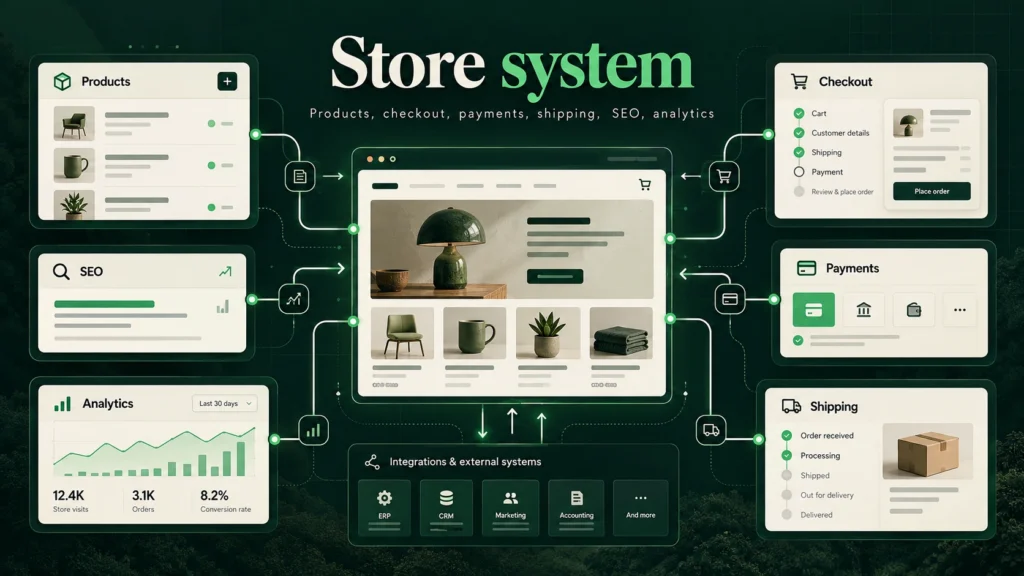
Many WooCommerce stores eventually need to communicate with other systems: a courier service, an invoicing platform, an ERP, a marketplace, a product feed, an email platform, an accounting tool or an external stock system.
Each integration introduces another dependency.
The important questions are not only whether a plugin exists, but what information it exchanges, when it exchanges it and what happens when something fails.
A courier integration may need city data, pickup points and label generation. An invoicing system may depend on particular order statuses. A product feed may require attributes that did not exist when the catalogue was first created. An external stock system may need to become the authoritative source for availability.
This is why planning the store as a system matters. Once orders start moving through the business, the website no longer exists in isolation.
Maintenance starts after launch
Launching an online store is not the end of the technical work.
WordPress, WooCommerce, payment gateways, shipping plugins and other integrations continue to receive updates. APIs change. Products change. Promotions are added. New tracking scripts appear. Customers find edge cases nobody discovered during development.
Updates therefore need more care than they do on a simple brochure website.
A plugin update that affects a contact form is annoying. A plugin update that breaks checkout at 10 a.m. on a busy sales day has a very different business impact.
Backups, staging, update procedures and periodic checkout testing are part of running the store, not optional administrative chores.
The same applies when the business grows. More products, more orders and more integrations often reveal weaknesses that were invisible during the first months.
The cheapest build is not always the cheapest store
WooCommerce itself is free, which is one of its great strengths. That does not make an e-commerce project free to build properly.
The cost moves into planning, configuration, product work, integrations, testing, performance and maintenance.
A very cheap implementation can be perfectly adequate for a genuinely simple store. Problems begin when a complex business is forced into a simplistic setup because the project was treated as “a WordPress website plus products”.
That usually creates costs later: rebuilding categories, cleaning imports, replacing incompatible plugins, repairing checkout behaviour or migrating data that should have been structured correctly in the first place.
The initial price of the build matters. So does the cost of correcting decisions after the catalogue has grown around them.
Start with the business workflow, not the theme
Before choosing how the product cards should look, I would want to understand what the store actually needs to do.
What is being sold? How are products organised? Are there variations or compatibility rules? How is stock managed? How are orders delivered? How does the customer pay? What happens after an order is placed? Which other systems need the data?
Once those answers are clear, the visual layer becomes much easier to build around them.
WooCommerce is flexible precisely because it can support very different kinds of stores. That flexibility is useful when the structure is intentional.
It becomes considerably less useful when every requirement is discovered one plugin at a time.